
Imagine slipping into a world where ripped studs beckon you closer, their sweat-glistened bodies filling your vision, your cock already twitching in anticipation. The Meta Quest 3 isn’t just a headset—it’s your gateway to hands-free, heart-pounding immersion that leaves you breathless and spent.
The Meta Quest 3 doesn’t just play VR porn—it puts you inside it. The difference between watching and actually feeling present comes down to how you set it up.
If you’ve just picked up a Quest 3 and want the best possible gay VR porn experience, this guide walks you through everything that actually matters—from quick setup to advanced tweaks that noticeably improve immersion, clarity, and overall intensity.
Whether you’re streaming or running high-resolution downloads, small adjustments can make scenes feel sharper, closer, and far more convincing. Let’s get you dialed in properly.
Quick Start: Get Watching in Under 5 Minutes
- Charge your Quest 3
- Connect to WiFi
- Open Meta Quest Browser
- Visit your preferred VR porn site
- Select a video and tap the VR mode icon
That’s enough to get started. Everything below is how you take it from “works” to “this feels real.”
Why Meta Quest 3 Is Ideal for Gay VR Porn
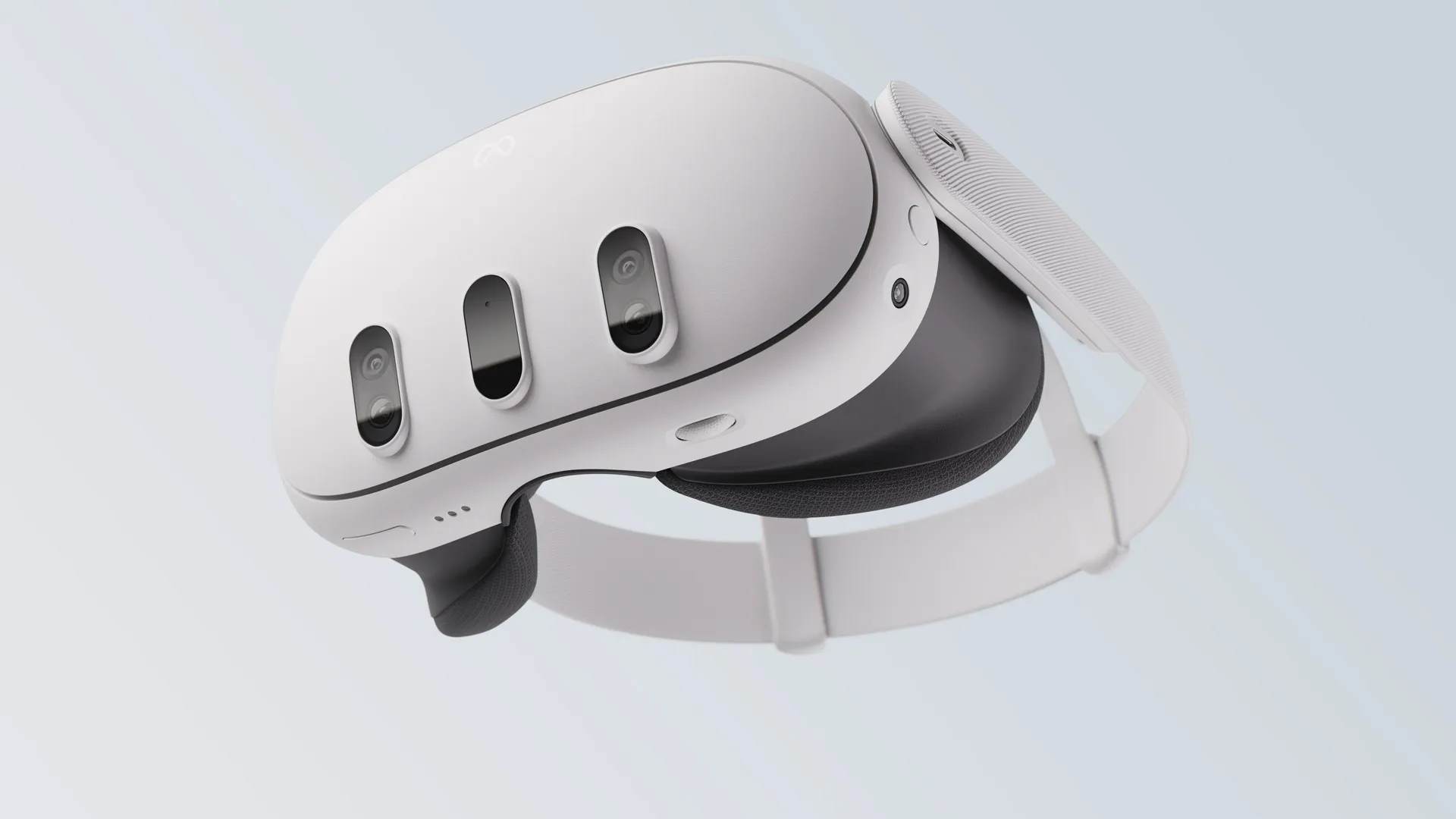
The Quest 3 hits a strong balance between performance, clarity, and ease of use. It’s powerful enough to handle high-resolution VR video while staying completely wireless.
- High-resolution displays (2064 × 2208 per eye): better clarity in close-up scenes
- 90Hz / 120Hz refresh rates: smoother motion, more natural movement
- Pancake lenses: reduced blur and edge distortion
- Standalone system: no PC required
In practice, this means scenes feel more stable, more detailed, and more immersive—especially when performers are close to your viewpoint.
If you haven’t already, you’ll want to understand how resolution impacts VR quality. Read: 2K vs 4K vs 8K Gay VR Porn
Initial Setup (Do This Properly Once)
1. Charge and Update
Fully charge your headset and install any system updates. Performance improvements from updates can directly affect playback smoothness.
2. Connect to Strong WiFi
For streaming VR porn, stable internet matters more than raw speed. Aim for at least 50 Mbps for consistent 4K playback.
3. Adjust Fit and Lens Position
Make sure the headset sits correctly on your face. Even slight misalignment reduces clarity.
Go to: Settings > Physical Space > IPD and fine-tune until the image looks sharp across the entire frame.
Method 1: Streaming VR Porn (Fastest Setup)
Streaming is the easiest way to get started. No downloads, no file transfers.
Open Meta Quest Browser, go to a VR site, and launch the video in VR mode.
Many sites use web players like DelightXR, which automatically detect VR format and handle playback.
Best for: convenience, quick sessions, exploring new scenes
For site recommendations, see: Best Gay VR Porn Sites
How to Improve Streaming Quality
- Use 5GHz WiFi instead of 2.4GHz
- Stay close to your router
- Close other bandwidth-heavy apps
If you notice softness or compression, it’s usually bitrate limitations—not your headset.
Method 2: Downloading VR Porn (Best Quality)
Downloading videos locally gives you higher bitrate, better detail, and more consistent playback.
Best VR Video Players
- HereSphere (Paid) – best overall quality and control
- DeoVR (Free) – easy integration with many sites
- PLAY’A VR – solid local playback option
(Official links available on the Meta Quest Store or developer sites)
How to Transfer Files
- USB-C: connect to PC and copy files into Movies or Downloads
- Cloud: use Google Drive or Dropbox
- SMB / Network: stream from local storage (advanced)
Best for: 5K and 8K content, maximum visual quality
Best Resolution Settings for Quest 3
- Streaming: 4K–5K
- Downloads: 5K–8K
- Ideal balance: 5K
5K tends to hit the sweet spot where detail improves noticeably without requiring extreme bandwidth or storage.
180° vs 360° VR Porn (Important)
- 180°: higher detail, focused perspective, more immersive close-range experience
- 360°: full environment, lower pixel density
Most premium gay VR content uses 180° for a reason—it keeps the subject sharp and front-focused.
Performance Optimization (Big Impact)
Refresh Rate
Go to: Settings > System > Display
- 90Hz = stable default
- 120Hz = smoother motion (if supported)
Render Resolution
Increase via Meta app:
Devices > Graphics Preferences
Higher values improve sharpness, especially in close-up scenes.
Audio Setup
- Wired headphones: best quality and privacy
- Bluetooth: convenient but slight latency
Good audio significantly increases immersion—especially spatial audio.
Privacy Settings (Worth Doing)
- Use browser Private Mode
- Clear browsing data regularly
- Disable usage tracking in Settings > Privacy
Troubleshooting Common Issues
Blurry image?
- Adjust headset position
- Clean lenses
- Check resolution source
Playback lag?
- Switch to download instead of streaming
- Check WiFi strength
- Restart headset
Discomfort?
- Start with shorter sessions
- Use seated mode
Recommended Setup (Quick Reference)
-
- Resolution: 5K
- Playback: Download when possible
- Player: HereSphere or DeoVR
- Audio: Wired headphones
- Refresh Rate: 90Hz+
Final Take
The Quest 3 is one of the best headsets available for VR porn right now—but the default experience isn’t fully optimized.
Once you dial in resolution, playback method, and settings, everything feels noticeably more natural. Detail improves, motion becomes smoother, and scenes hold your attention longer without breaking immersion.
Start simple with streaming, then move into higher-resolution downloads as your setup improves. The difference is immediate—and hard to go back from once you experience it properly.
Strap in now, handsome. Your world of sweat-slicked muscle, hungry mouths, and endless release pulses just a setup away. Dive deep, stroke slow, and let it consume you.
Craving scene recs that’ll leave you hardest? Browse top VR sites or learn how to maximize quality with resolution optimization.